Appearance
Events
An event is a user interaction that you want to track.
When you integrate Honeypot into your application, you'll need to decide which events you want to capture. Some example events include:
- User registration
- User login
- Loan application
- Video upload
- Page visit
There are three ways to capture events:
- Turn on auto-capture
- Capture individual events using the honeypot.track method.
- Capture multiple, related events using the honeypot.flow method.
On this page, we'll focus on the first two methods, which are the simplest forms of event tracking. However, if you want to learn how to track multiple events within a larger process (e.g. an onboarding workflow), see the flows feature.
Auto-capturing events
The quickest way to capture events is to turn on auto-capture mode from the UI (Configure -> Honeypots -> Data Collection )
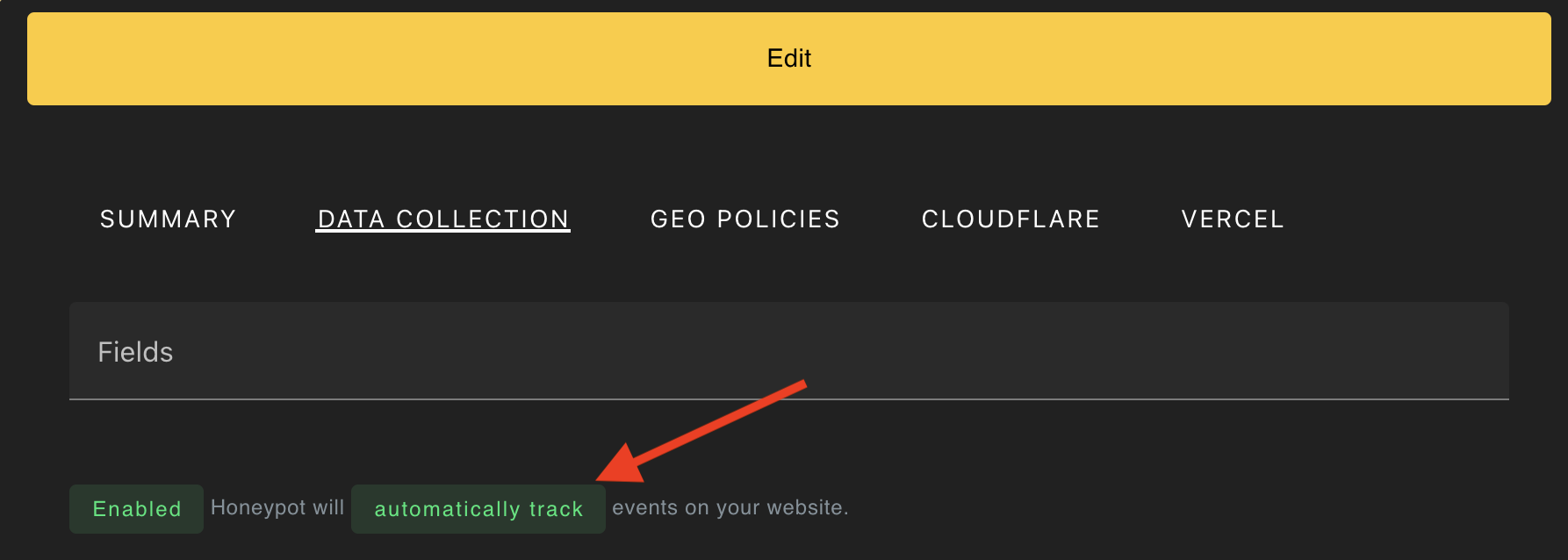
This will log a Page visit event whenever a page is loaded. If you want to customize the event names or log only certain events, see the next section.
Tracking events
To track individual events for a user, use the honeypot.track method, as shown below.
js
// Optionally identify the user *before* tracking an event
honeypot.identify('me@example.com');

// Track an event called 'User login'
await honeypot.track('User login');
Custom Event Properties
You can also provide additional metadata about the event by providing a second argument.
js
// Provide some additional metadata about an event
await honeypot.track(
    'User signup',
    {'email': 'hello@example.com', 'phone': '555-555-5555'}
)

// or...
await honeypot.track(
    'Loan application',
    {'amount': 100, 'unit': 'USD'}
)
Some property names are reserved and, if used, will tell Honeypot to pull additional intel about the user. We call these smart properties, and discuss them in more detail below.
Linking Our Data to Yours
If your platform allows users to sign in, you can use the honeypot.identify to link user IDs to their corresponding events. You should call this method before honeypot.track.
js
// associate the event with a particular account
honeypot.identify('user1234')

// or, if you want to add additional properties, pass an object
// as the second argument
honeypot.identify(
    'user1234',
    {'name': 'John Doe', 'platform': 'web'}
)
The returned data, as well as any payload when send to your integrations, will include the identity field, allowing you to easily link our data with yours.
Gathering honey
Each time you track an event, Honeypot will gather the intel associated with the current user. You can gather the intel like so:
js
let honey = honeypot.get();See Example payload for detailed information about what insights are returned.