Appearance
S3
Configuration
Write Honeypot events directly to an S3 bucket.
Self-managed installations
S3 buckets require additional configurations for self-managed installations. Please reach out to your account manager for details.
From the connectors page, select , and then click .
An example configuration will appear in the tab. Update the connection information with the appropriate values for your webhook.
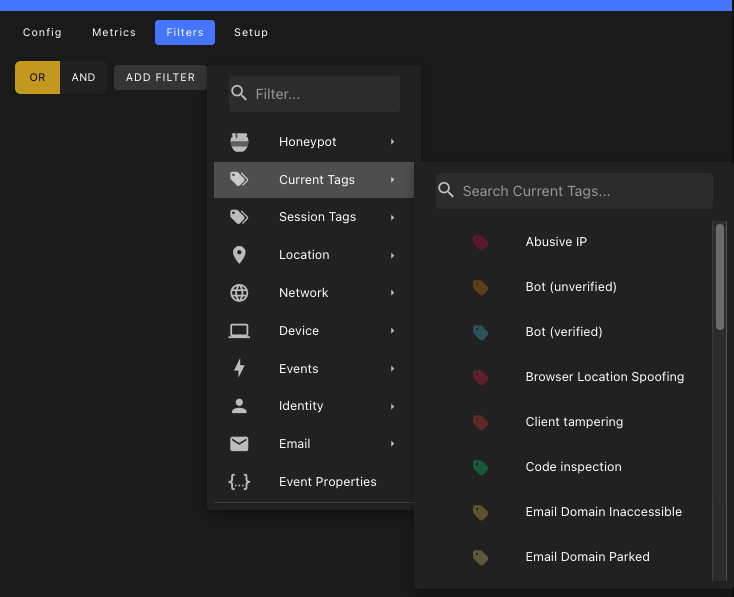
json{ // S3 bucket name "bucket": "your-bucket-name", // AWS region (e.g., us-east-1) "region": "us-east-1", // Optional path prefix for S3 objects "path": "events/daily", // AWS access key ID "accessKeyId": "****", // AWS secret access key "secretAccessKey": "****", // Number of events to batch before uploading (default: 100) "batch_size": 10, // Maximum time to wait before uploading a batch (default: 5) "batch_window_minutes": 10 }From the tab, use the filter builder to control which events should be written to the connector.
To test the connector, set
batch_sizeto1and then cick to test the connector. If the S3 connector is configured properly, you will see a message that saysBUFFERED.Change the
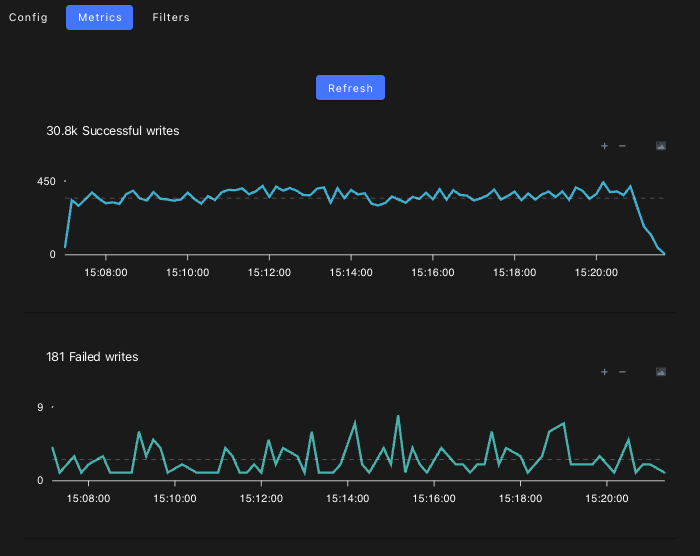
batch_sizeback to a reasonable value (e.g.100) and click to save the connector.From the tab, you can monitor the traffic to your webhook connector.
Payload
Each S3 file will contain one or more events, depending on the configured batch size.
For more information about the structure of events, see: