Appearance
Tags Lite Pro
What are tags?
When you track an event in Honeypot using either the honeypot.track or honeypot.flow method, you'll be able to retrieve the threat signals for a user.
This is called gathering the honey, and an example response is shown below.
js
{
    "handprint_id": "..."
    "current_tags": [...],
    "session_tags": [...],
    ...
}
Besides the handprint (handprint_id), one of the most important pieces of data is the tags object. This includes a set of labels that identify certain characteristics of the user. Some example tags are described below:
All Tags
A full list of tags is available in the Honeypot UI, and covers session, location, email, network, and phone tags.
| Tag | ID | Occurs when |
|---|---|---|
Abusive IP | abusive_ip | A user's IP address is associated with at least 5 abuse reports. |
Bot | bot_user | We detected bot signatures or behaviors. |
Client tampering | client_tampering | A client has been manipulated in some way. |
Geo policy violation | geo_policy_violation | A user is coming from a location that violates your geo policies. See geofencing. |
High-risk location | high_risk_location | A user's location is considered high-risk. |
Multiple accounts | multiple_accounts | A user is associated with multiple accounts. |
Spam | spam | The user is exhibiting spam-like behavior. |
VPN | anon | A user is using a VPN or otherwise anonymizing their traffic (e.g. via a TOR browser). |
Creating custom tags
Honeypot gives you the flexibility to define the behaviors you want to track, and it will handle tagging any events and users based on the rules you specify.
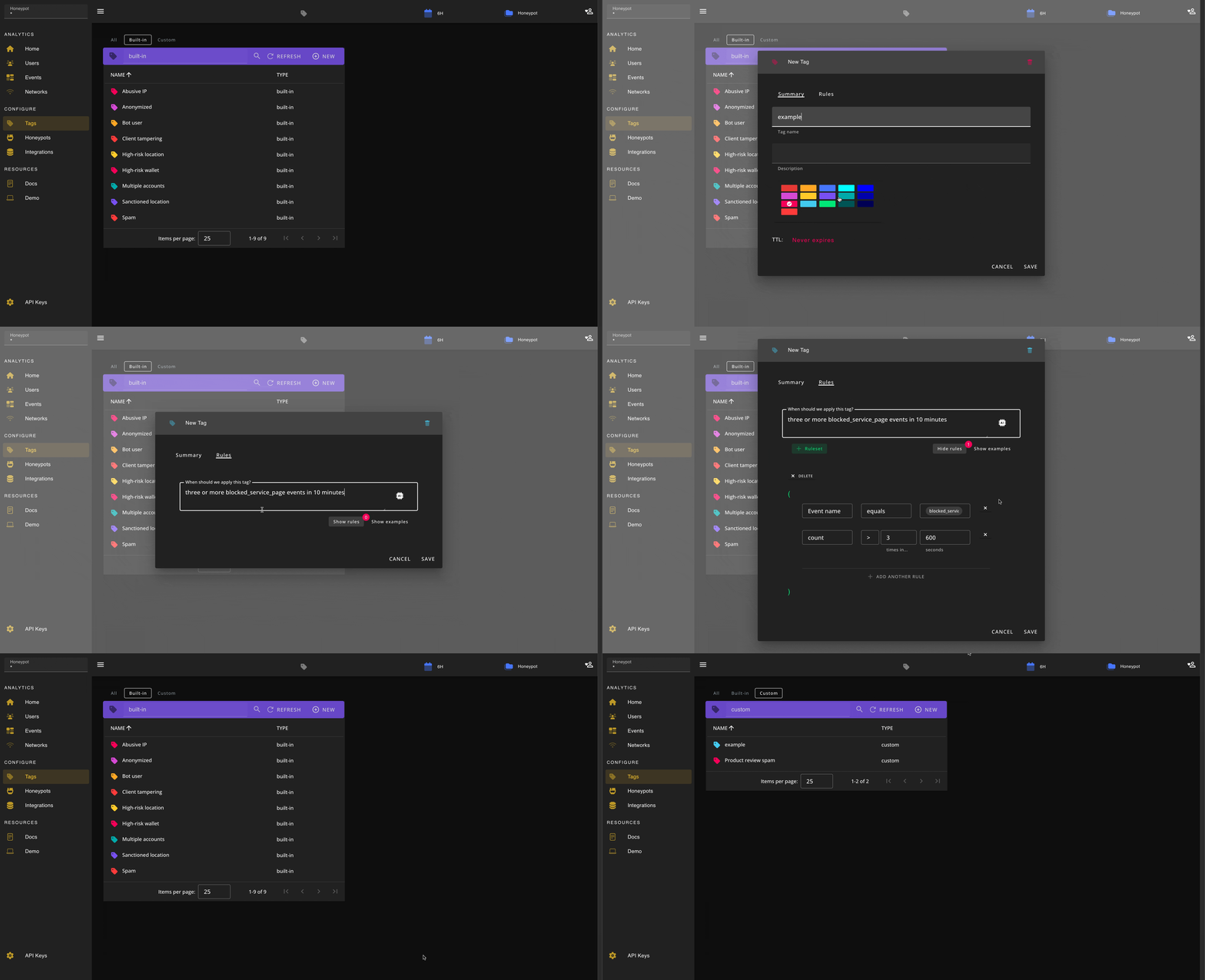
Custom tags can be added from the Honeypot UI (Configure -> Tags ). Simply create a new tag by clicking the button, give the tag a name and a color, and optionally specify how Honeypot should apply the tag under the tab.