Appearance
Geo-fencing
A common use-case for companies is to create location-specific experiences. For example, companies that need to comply with sanctions laws may want to block or redirect traffic from sanctioned countries.
A typical approach is to create firewall rules at the edge. Unfortunately, this doesn't always work since users can use VPNs or proxies to spoof their location.
Instead, you could augment this approach with Honeypot's geofencing capabilities. Honeypot's deployment model allows it to detect inconsistent VPN usage and understand a user's actual location to automatically redirect high risk traffic.
The sections below show you how to automatically or manually redirect traffic based on a user's geo location.
Auto redirect
- Create a
litehoneypot from the UI - Go to
Geo Policiestab
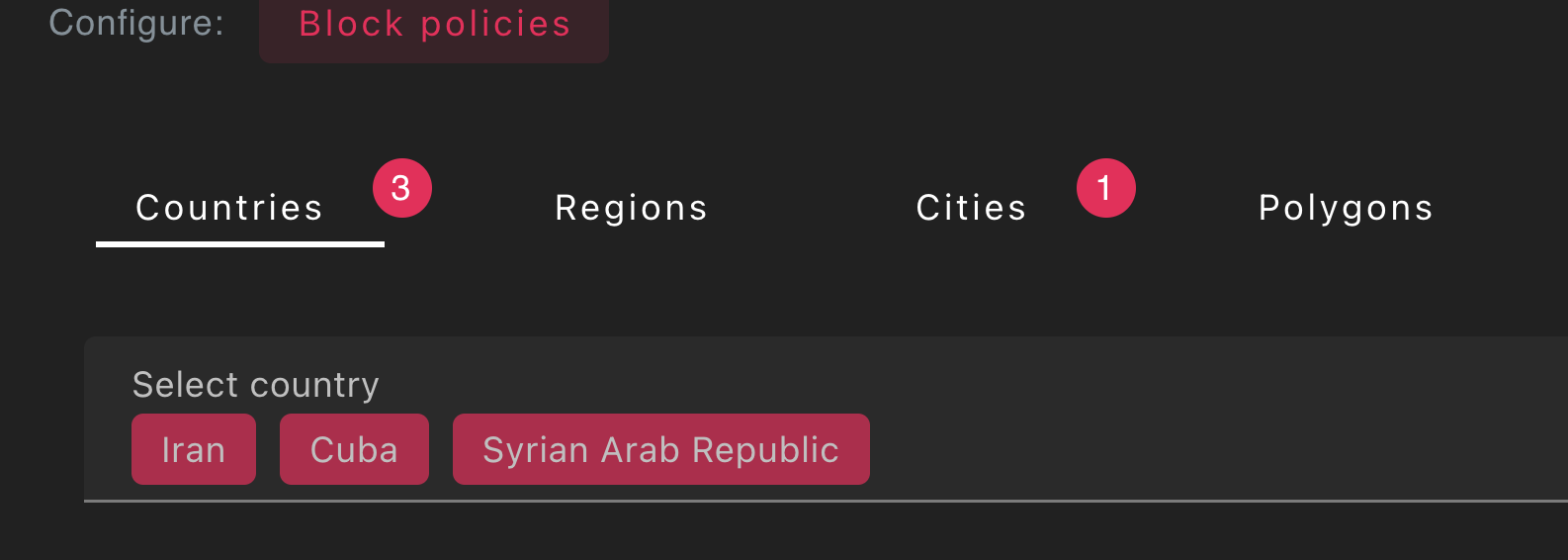
- Select the countries, regions, and cities you want to redirect
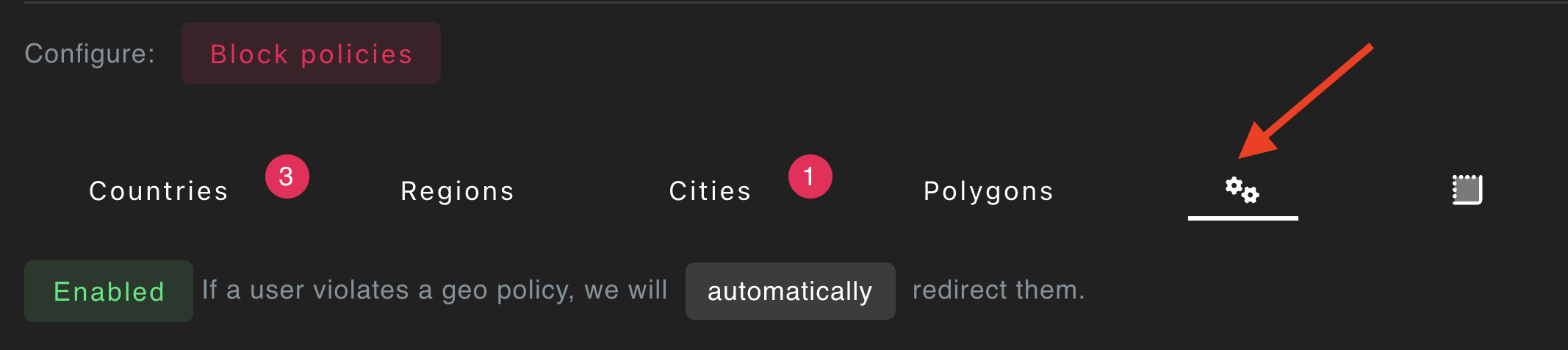
- Turn on auto geo-blocking.
Manual geoblocking
- Create a
litehoneypot from the UI - Go to
Geo Policiestab - Select the countries, regions, and cities you want to redirect
- Turn off auto geo-blocking

- Call the
honeypot.geofence()method from your front-end code
js
// Optionally identify the user *before* geoblocking them
honeypot.identify('user1234');

// this will automatically redirect if they match one of the locations
// in your geo policy
honeypot.geofence();
GeoCaptcha
You can invoke a GeoCaptchatm either manually or automatically to collect additional location signals from a permissioned API. This is helpful for the following scenarios:
- You want to automate appeals from users who are contesting the IP geolocation
- You want more
call the geoCaptcha() method on your Honeypot instance.
js
await honeypot.geoCaptcha();The title and message of the geo-captcha can be customized through the Honeypot UI (Configure -> Honeypots -> Geo Policies -> GeoCaptcha).
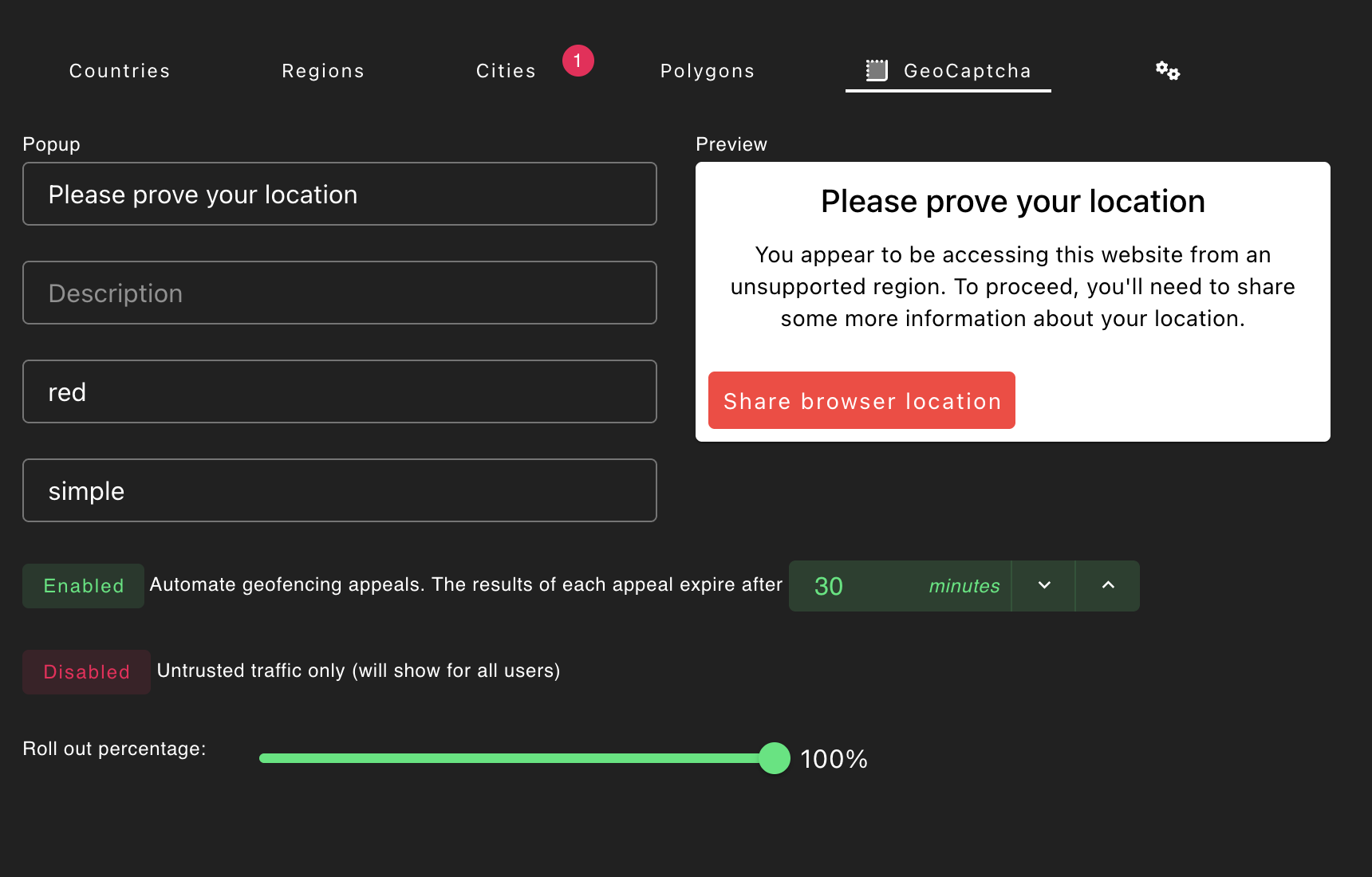
The return value will include two additional location readings (p1, p2) which will be more precise than IP-based geolocation.
json
{
  "event_properties": {
    "p1": {
      "latitude": 34.11071814891187,
      "longitude": -84.11076872392265,
      "accuracy": 40,
      "altitude": 307.93707275390625,
      "altitudeAccuracy": 29.47065544128418,
      "heading": null,
      "speed": null
    },
    "p2": {
      "latitude": 34.11071814891187,
      "longitude": -84.11076872392265,
      "accuracy": 40,
      "altitude": 307.93707275390625,
      "altitudeAccuracy": 29.47065544128418,
      "heading": null,
      "speed": null
    }
  }
}
This feature is designed for workflows where understanding a user's exact location is critical and is not meant to be used on every invocation to Honeypot.